 3129e88e95
1. Changing the Maps API Key doesn't need restart anymore. 2. The `isRestartRequired` field in the response of updating env settings, was being ignored. The client owns the decision of when to restart (which is correct), so removed this from the server. 3. Write Maps API Key to the database, in the tenant configuration. 4. The Settings page for Maps Ke gets the current value from `/tenant/current` response, and not `/admin/env`. 5. Removed `APPSMITH_GOOGLE_MAPS_API_KEY` from `/admin/env` response. 6. Tests. DO NOT MERGE. Please only review/approve. This is expected to break EE once it goes there, which I intend to solve alongside merging this. Changing the Maps API Key will update it both in the tenant config in the database, as well as in the `docker.env` file. This is predominantly for backwards compatibility, and phased rollout. As part of a separate PR, we'll have a migration that proactively copies the env variable value to the database, and comment out the value in the `docker.env` file. Then we can stop updating the `docker.env` file as well. ## New  ## Old  --------- Co-authored-by: Ankita Kinger <ankita@appsmith.com> |
||
|---|---|---|
| .. | ||
| images | ||
| Dockerfile | ||
| README.MD | ||


Deploy Appsmith using Heroku
Quickly set up Appsmith to explore product functionality using Heroku.
Heroku Installation
-
Sign up for a free account on Heroku
-
Click the
 button
 -
Fill in the required
Config Variablesincluding:APPSMITH_ENCRYPTION_PASSWORD: Encryption password to encrypt all credentials in the databaseAPPSMITH_ENCRYPTION_SALT: Encryption salt used to encrypt all credentials in the databaseAPPSMITH_MONGODB_URI: Your Mongo Database URI
-
(Optional) Customize the default settings in Heroku
-
App Name: Optionally select a name for your application (this will be used in the app URL) -
Runtime Selection: Select which region your app should run in (United States or Europe) -
Config Variables:- Email Configuration:
APPSMITH_MAIL_ENABLED: Set this value to true to enable email sending (value should betrue/falseonly)APPSMITH_MAIL_FROM: Email ID using which emails will be sent from your installationAPPSMITH_REPLY_TO: Email ID to which all email replies will be sent toAPPSMITH_MAIL_HOST: The host endpoint for the SMTP serverAPPSMITH_MAIL_SMTP_TLS_ENABLED: Set this value to enable TLS for your SMTP server (value should betrue/falseonly)APPSMITH_MAIL_USERNAME: SMTP usernameAPPSMITH_MAIL_PASSWORD: SMTP password
- Oauth Configuration:
- Google Oauth:
APPSMITH_OAUTH2_GOOGLE_CLIENT_ID: Client ID provided by Google for OAuth2 loginAPPSMITH_OAUTH2_GOOGLE_CLIENT_SECRET: Client secret provided by Google for OAuth2 login
- Github Oauth:
APPSMITH_OAUTH2_GITHUB_CLIENT_ID: Client ID provided by Github for OAuth2 loginAPPSMITH_OAUTH2_GITHUB_CLIENT_SECRET: Client secret provided by Github for OAuth2 login
- Google Oauth:
APPSMITH_DISABLE_TELEMETRY: We want to be transparent and request that you share anonymous usage data with us. This data is purely statistical in nature and helps us understand your needs & provide better support to your self-hosted instance. You can read more about what information is collected in our documentation https://docs.appsmith.com/v/v1.2.1/setup/telemetry- Google reCAPTCHA v3 Configuration:
APPSMITH_RECAPTCHA_SITE_KEY: Google reCAPTCHA v3 site key, it is required if you wish to enable protection against spam/abusive users. Read more at: https://developers.google.com/recaptcha/docs/v3APPSMITH_RECAPTCHA_SECRET_KEY: Google reCAPTCHA v3 verification secret key, it is required if you wish to enable spam protection in your backend server.APPSMITH_RECAPTCHA_ENABLED: Boolean config to enable or disable Google reCAPTCHA v3 verification feature. If set to true, both site key and secret key should be provided.
- Intercom:
APPSMITH_DISABLE_INTERCOM: Set this value to true to disable intercom (value should betrue/falseonly)
After Heroku finishes setting up the app, click “View” and your Appsmith should be up and running. You will be taken to the account creation page, where you can enter credentials to create an account and get started.
- Email Configuration:
-
{% hint style="warning" %}
- We use Heroku Redis addon for caching which required your account to have billing information, but we use the free plan of this addon so it will charge you nothing. Please make sure your account already finish providing billing information.
- You may need to wait 2 - 3 minutes before accessing the application. {% endhint %}
Custom domain
To create your custom domain with your app, please follow these steps below:
-
Go to your app's settings tab

-
Click
Add domainbutton in Domains section
-
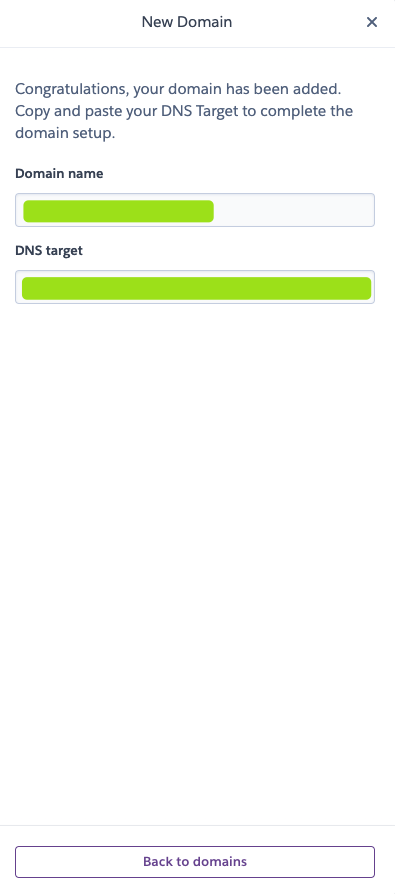
Input your domain name & click
Next. Heroku will provide you a DNS Target that you can map your domain with
-
Make sure that your DNS Record is update so that your custom domain will map to
DNS Target -
Once you finish, now you can access Appsmith from your custom domain
{% hint style="warning" %}
- Once you use a custom domain, You might want to setup SSL for your dyno. Please check the official document of Heroku how to configure SSL
- Your dyno will need to be upgrade to at least
hobbytype to use this feature of heroku
{% endhint %}
Re-Deploy your App using Heroku CLI
To re-deploy your app (re-build & re-run), make sure you have Docker & Heroku CLI setup locally then follow steps below:
- Pull the appsmith repository & move to
herokufolder:git clone --branch master https://github.com/appsmithorg/appsmith cd ./appsmith/deploy/heroku - Login to Heroku CLI
heroku login - Login to Container Registry
heroku container:login - Get your application name
heroku apps - Push your Docker-based app
heroku container:push web -a <Your App Name> - Deploy the changes
heroku container:release web -a <Your App Name>