 0f838535c3
## Description

This PR includes following changes:

- In case of limiting google sheet access project, when user selects specific sheets as an option, they should be shown file picker UI once the authorisation is complete, In this file picker UI, users can select the google sheet files that they want to use with appsmith application and allow access to only those files.
- This PR contains the changes for file picker UI and updating datasource auth state based on the files selected by user.


TL;DR
Steps to test this PR:

- Create Google Sheet datasource
- In the datasource config form, select specific sheets as an option from the scope dropdown.
- Click on save and authorise
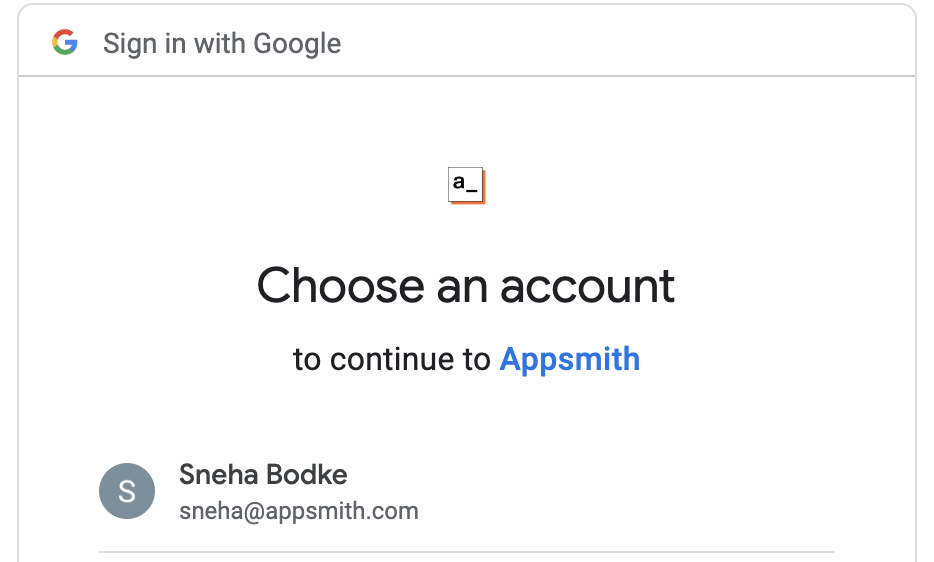
- This will take you to google oauth process

<img width="467" alt="Screenshot 2023-02-20 at 1 24 24 PM" src="https://user-images.githubusercontent.com/30018882/220045493-57b0ca6c-3f08-4963-af55-d603cf79bc43.png">

- Select the google account
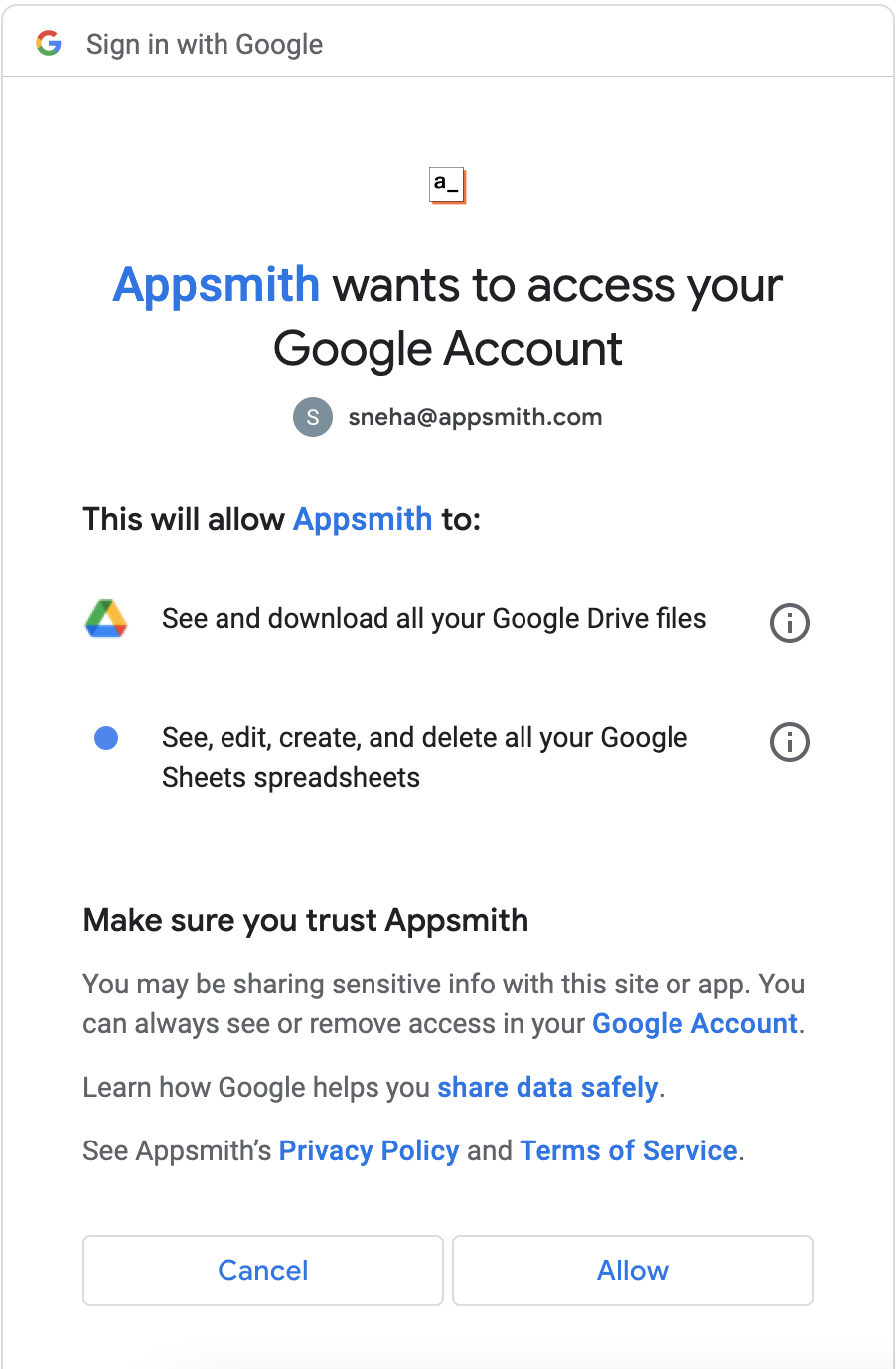
- This will take you to google oauth2 consent screen

<img width="451" alt="Screenshot 2023-02-20 at 1 24 55 PM" src="https://user-images.githubusercontent.com/30018882/220045641-9f70dd29-6664-489a-b77b-df65445491df.png">

- Click on allow for all requested permissions
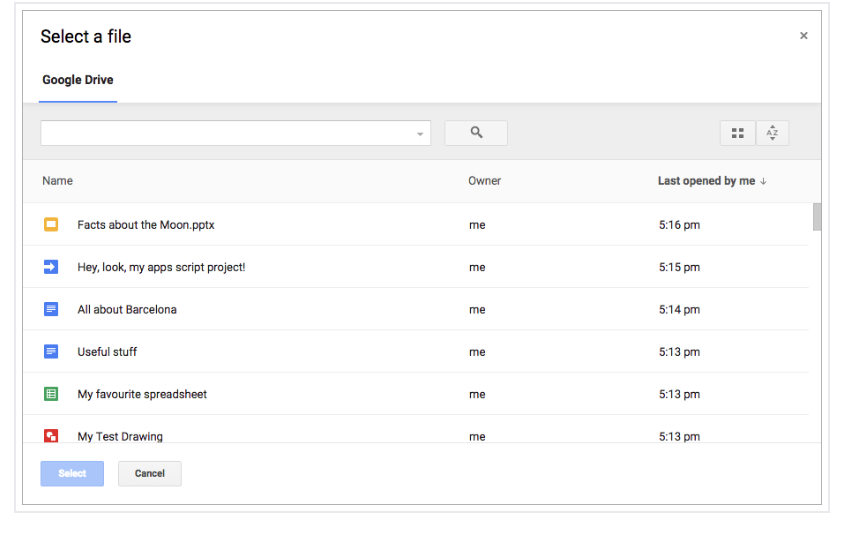
- This will take you back to appsmith's datasource config page in view mode and load the file picker UI
<img width="425" alt="Screenshot 2023-02-20 at 1 25 47 PM" src="https://user-images.githubusercontent.com/30018882/220045828-8b3e3e46-4ddc-4e30-b2f8-f12865395817.png">
- Select the files that you want to share with appsmith app
- Click on select
- You should see the new query button in enabled state, as datasource authorisation is complete

<img width="800" alt="Screenshot 2023-02-20 at 1 27 28 PM" src="https://user-images.githubusercontent.com/30018882/220046131-6ce99a85-cddc-4529-ae45-f9833aefd71b.png">

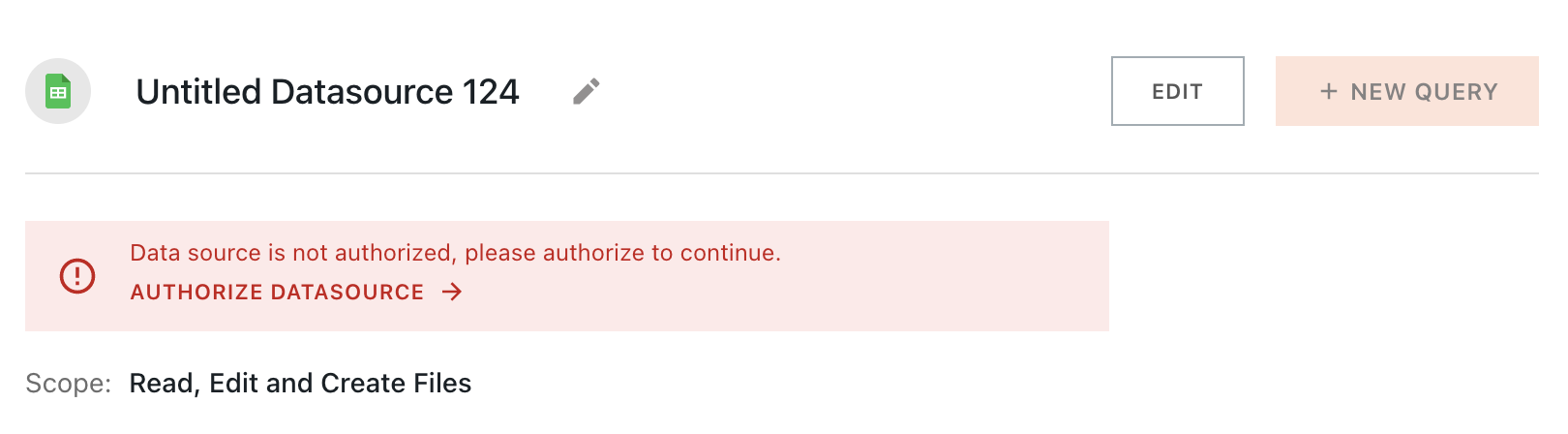
- In case you select cancel on google oauth2 consent screen, you should error message on datasource config page with new query button being disabled

<img width="810" alt="Screenshot 2023-02-20 at 1 28 49 PM" src="https://user-images.githubusercontent.com/30018882/220046385-6b8d636c-b517-44c3-a596-b52bc0084b94.png">

- In case you do give all the permissions but do not select any files in google file picker, then also you should see error message on datasource config page with new query button disabled.

Fixes #20163, #20290, #20160, #20162


Media
> A video or a GIF is preferred. when using Loom, don’t embed because it looks like it’s a GIF. instead, just link to the video


## Type of change

> Please delete options that are not relevant.

- New feature (non-breaking change which adds functionality)


## How Has This Been Tested?

- Manual

### Test Plan
> Add Testsmith test cases links that relate to this PR

### Issues raised during DP testing
> Link issues raised during DP testing for better visiblity and tracking (copy link from comments dropped on this PR)


## Checklist:
### Dev activity
- [x] My code follows the style guidelines of this project
- [x] I have performed a self-review of my own code
- [x] I have commented my code, particularly in hard-to-understand areas
- [ ] I have made corresponding changes to the documentation
- [x] My changes generate no new warnings
- [ ] I have added tests that prove my fix is effective or that my feature works
- [ ] New and existing unit tests pass locally with my changes
- [x] PR is being merged under a feature flag


### QA activity:
- [ ] Test plan has been approved by relevant developers
- [ ] Test plan has been peer reviewed by QA
- [ ] Cypress test cases have been added and approved by either SDET or manual QA
- [ ] Organized project review call with relevant stakeholders after Round 1/2 of QA
- [ ] Added Test Plan Approved label after reveiwing all Cypress test

Co-authored-by: “sneha122” <“sneha@appsmith.com”>

185 lines
7.1 KiB
HTML
Executable File
185 lines
7.1 KiB
HTML
Executable File
<!DOCTYPE html>
|
|
<html lang="en">
|
|
|
|
<head>
|
|
<meta charset="utf-8" />
|
|
<meta name="viewport" content="width=device-width, initial-scale=1, shrink-to-fit=no" />
|
|
<title>Appsmith</title>
|
|
<style>
|
|
#loader {
|
|
position: fixed;
|
|
left: 0;
|
|
top: 0;
|
|
height: 4px;
|
|
background: #D7D7D7;
|
|
transition: all ease-in 0.3s;
|
|
}
|
|
</style>
|
|
<script>
|
|
// '' (empty strings), 'false' are falsy
|
|
// could return either boolean or string based on value
|
|
const parseConfig = (config) => {
|
|
if (config.indexOf("__") === 0 || config.indexOf("$") === 0 || config.indexOf("%") === 0)
|
|
return "";
|
|
|
|
const result = config.trim();
|
|
if (result.toLowerCase() === "false" || result === "") {
|
|
return false;
|
|
} else if (result.toLowerCase() === "true") {
|
|
return true;
|
|
}
|
|
|
|
return result;
|
|
}
|
|
const CLOUD_HOSTING = parseConfig("__APPSMITH_CLOUD_HOSTING__");
|
|
const ZIPY_KEY = parseConfig("__APPSMITH_ZIPY_SDK_KEY__");
|
|
if(CLOUD_HOSTING && ZIPY_KEY) {
|
|
const script = document.createElement('script');
|
|
script.crossOrigin = "anonymous";
|
|
script.defer = true;
|
|
script.src = "https://cdn.zipy.ai/sdk/v1.0/zipy.min.umd.js";
|
|
script.onload = () => {
|
|
window.zipy && window.zipy.init(ZIPY_KEY);
|
|
}
|
|
const head = document.getElementsByTagName('head')[0];
|
|
head && head.appendChild(script);
|
|
}
|
|
|
|
</script>
|
|
<!-- Adding this Library to access google file picker API in case of limiting google sheet access -->
|
|
<script
|
|
async
|
|
defer
|
|
id="googleapis"
|
|
src="https://apis.google.com/js/api.js"
|
|
onload="gapiLoaded()"
|
|
></script>
|
|
</head>
|
|
|
|
<body class="appsmith-light-theme">
|
|
<noscript>You need to enable JavaScript to run this app.</noscript>
|
|
<div id="loader" style="width: 30vw;"></div>
|
|
<!--
|
|
To keep zIndex for tooltips higher than app comments, todo remove when migrating to Tooltip2
|
|
Currently the className does not apply to the portal root, so we're unable to work with z-indexes based on that
|
|
-->
|
|
<div id="header-root"></div>
|
|
<div id="root"></div>
|
|
<script type="text/javascript">
|
|
// Ref: https://github.com/Modernizr/Modernizr/blob/94592f279a410436530c7c06acc42a6e90c20150/feature-detects/storage/localstorage.js
|
|
const getIsLocalStorageSupported = () => {
|
|
try {
|
|
window.localStorage.setItem("test", "testA");
|
|
window.localStorage.removeItem("test");
|
|
return true;
|
|
} catch (e) {
|
|
return false;
|
|
}
|
|
};
|
|
const isLocalStorageSupported = getIsLocalStorageSupported();
|
|
|
|
const handleLocalStorageNotSupportedError = () => {
|
|
console.error("Localstorage storage is not supported on your device.");
|
|
}
|
|
|
|
const localStorageUtil = {
|
|
getItem: (key) => {
|
|
if (!isLocalStorageSupported) {
|
|
handleLocalStorageNotSupportedError();
|
|
return;
|
|
}
|
|
return window.localStorage.getItem(key);
|
|
},
|
|
removeItem: (key) => {
|
|
if (!isLocalStorageSupported) {
|
|
handleLocalStorageNotSupportedError();
|
|
return
|
|
}
|
|
return window.localStorage.removeItem(key);
|
|
},
|
|
setItem: (key, value) => {
|
|
if (!isLocalStorageSupported) {
|
|
handleLocalStorageNotSupportedError();
|
|
return;
|
|
}
|
|
return window.localStorage.setItem(key, value);
|
|
}
|
|
};
|
|
window.addEventListener("DOMContentLoaded", (event) => {
|
|
document.getElementById("loader").style.width = "50vw";
|
|
});
|
|
|
|
const registerPageServiceWorker = () => {
|
|
if ("serviceWorker" in navigator) {
|
|
window.addEventListener("load", function () {
|
|
navigator.serviceWorker.register("/pageService.js").catch(error => {
|
|
console.error("Service Worker Registration failed: " + error);
|
|
});
|
|
});
|
|
}
|
|
};
|
|
registerPageServiceWorker();
|
|
</script>
|
|
<script type="text/javascript">
|
|
const LOG_LEVELS = ["debug", "error"];
|
|
const CONFIG_LOG_LEVEL_INDEX = LOG_LEVELS.indexOf(parseConfig("__APPSMITH_CLIENT_LOG_LEVEL__"));
|
|
|
|
const INTERCOM_APP_ID = parseConfig("%REACT_APP_INTERCOM_APP_ID%") || parseConfig("__APPSMITH_INTERCOM_APP_ID__");
|
|
const DISABLE_INTERCOM = parseConfig("__APPSMITH_DISABLE_INTERCOM__");
|
|
|
|
// Initialize the Intercom library
|
|
if (INTERCOM_APP_ID.length && !DISABLE_INTERCOM) {
|
|
(function () { var w = window; var ic = w.Intercom; if (typeof ic === "function") { ic('reattach_activator'); ic('update', w.intercomSettings); } else { var d = document; var i = function () { i.c(arguments); }; i.q = []; i.c = function (args) { i.q.push(args); }; w.Intercom = i; var l = function () { var s = d.createElement('script'); s.type = 'text/javascript'; s.async = true; s.src = 'https://widget.intercom.io/widget/' + INTERCOM_APP_ID; var x = d.getElementsByTagName('script')[0]; x.parentNode.insertBefore(s, x); }; if (document.readyState === 'complete') { l(); } else if (w.attachEvent) { w.attachEvent('onload', l); } else { w.addEventListener('load', l, false); } } })();
|
|
}
|
|
|
|
window.SENTRY_CONFIG = parseConfig("__APPSMITH_SENTRY_DSN__");
|
|
window.APPSMITH_FEATURE_CONFIGS = {
|
|
sentry: {
|
|
dsn: parseConfig("__APPSMITH_SENTRY_DSN__"),
|
|
release: parseConfig("__APPSMITH_SENTRY_RELEASE__"),
|
|
environment: parseConfig("__APPSMITH_SENTRY_ENVIRONMENT__"),
|
|
},
|
|
smartLook: {
|
|
id: parseConfig("__APPSMITH_SMART_LOOK_ID__"),
|
|
},
|
|
enableGoogleOAuth: parseConfig("__APPSMITH_OAUTH2_GOOGLE_CLIENT_ID__"),
|
|
enableGithubOAuth: parseConfig("__APPSMITH_OAUTH2_GITHUB_CLIENT_ID__"),
|
|
disableLoginForm: parseConfig("__APPSMITH_FORM_LOGIN_DISABLED__"),
|
|
disableSignup: parseConfig("__APPSMITH_SIGNUP_DISABLED__"),
|
|
enableRapidAPI: parseConfig("__APPSMITH_MARKETPLACE_ENABLED__"),
|
|
segment: {
|
|
apiKey: parseConfig("__APPSMITH_SEGMENT_KEY__"),
|
|
ceKey: parseConfig("__APPSMITH_SEGMENT_CE_KEY__"),
|
|
},
|
|
fusioncharts: {
|
|
licenseKey: parseConfig("__APPSMITH_FUSIONCHARTS_LICENSE_KEY__")
|
|
},
|
|
enableMixpanel: parseConfig("__APPSMITH_SEGMENT_KEY__"),
|
|
algolia: {
|
|
apiId: parseConfig("__APPSMITH_ALGOLIA_API_ID__"),
|
|
apiKey: parseConfig("__APPSMITH_ALGOLIA_API_KEY__"),
|
|
indexName: parseConfig("__APPSMITH_ALGOLIA_SEARCH_INDEX_NAME__"),
|
|
},
|
|
logLevel: CONFIG_LOG_LEVEL_INDEX > -1 ? LOG_LEVELS[CONFIG_LOG_LEVEL_INDEX] : LOG_LEVELS[1],
|
|
cloudHosting: CLOUD_HOSTING,
|
|
enableTNCPP: parseConfig("__APPSMITH_TNC_PP__"),
|
|
appVersion: {
|
|
id: parseConfig("__APPSMITH_VERSION_ID__"),
|
|
releaseDate: parseConfig("__APPSMITH_VERSION_RELEASE_DATE__")
|
|
},
|
|
intercomAppID: INTERCOM_APP_ID,
|
|
mailEnabled: parseConfig("__APPSMITH_MAIL_ENABLED__"),
|
|
cloudServicesBaseUrl: parseConfig("__APPSMITH_CLOUD_SERVICES_BASE_URL__") || "https://cs.appsmith.com",
|
|
googleRecaptchaSiteKey: parseConfig("__APPSMITH_RECAPTCHA_SITE_KEY__"),
|
|
hideWatermark: parseConfig("__APPSMITH_HIDE_WATERMARK__"),
|
|
disableIframeWidgetSandbox: parseConfig("__APPSMITH_DISABLE_IFRAME_WIDGET_SANDBOX__"),
|
|
};
|
|
|
|
gapiLoaded = () => {
|
|
window.googleAPIsLoaded = true;
|
|
}
|
|
</script>
|
|
</body>
|
|
|
|
</html>
|